

Tel: +86-0755-29898410
+86-0755-29898460
Email: fiona@xaori.net
Add: Kunhong Building, No. 38, Xinhe Avenue, Xinqiao Community, Shajing Street, Baoan District, Shenzhen, Guangdong, China
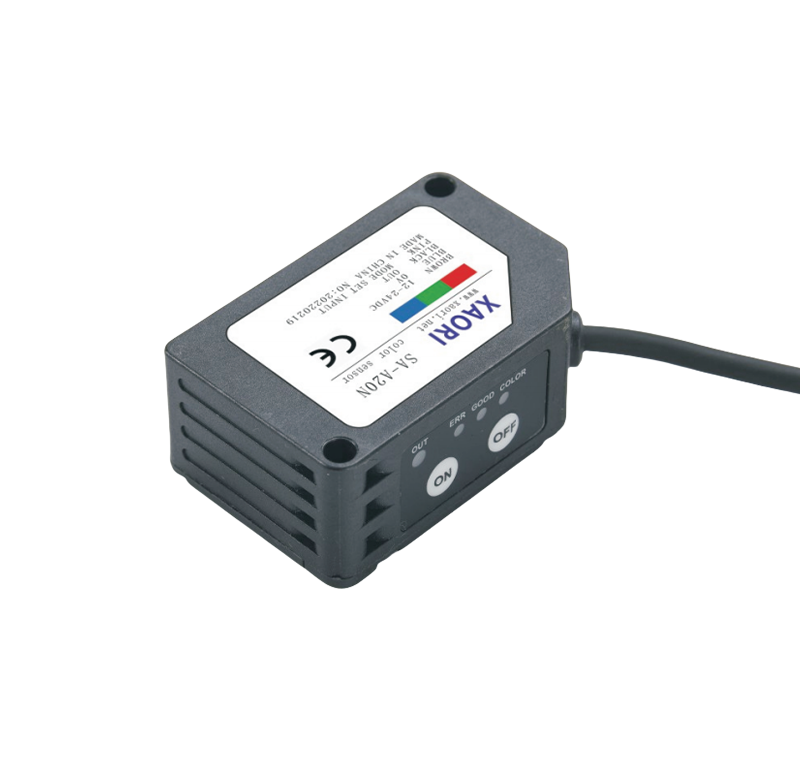
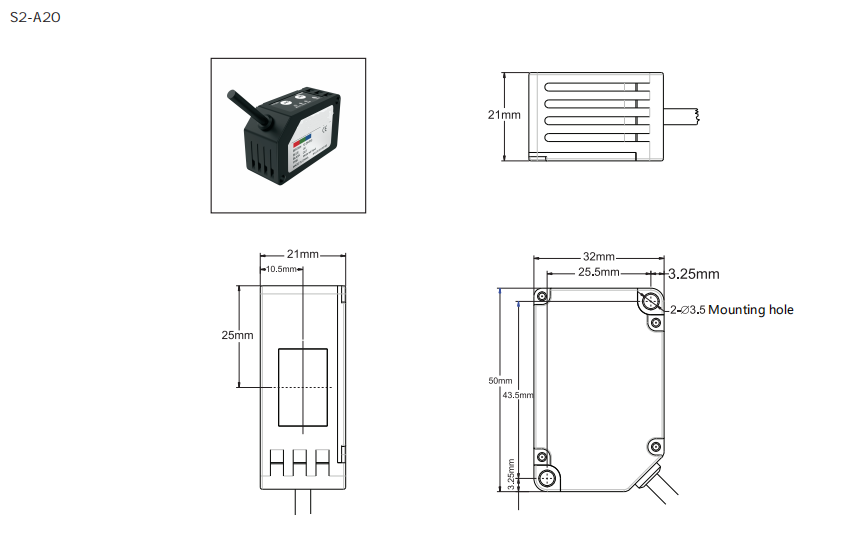
① The size is 1.5*7mm linear light spot, suitable for detection in different application environments;
② The detection distance is long, with a detection range of 18 to 28mm.
③ By adjusting the accuracy, the influence of jitter on the inspected object can be eliminated, and the anti-shake performance is high.
④ It can accurately identify when detecting the edge of an object or the critical position of two different colors, and the detection is stable and reliable.
⑤ It features two detection modes: color and color mark, and its performance is significantly superior to that of ordinary color marks.
⑥ Two-point Settings, simple and convenient, compact in size, suitable for installation in different Spaces.
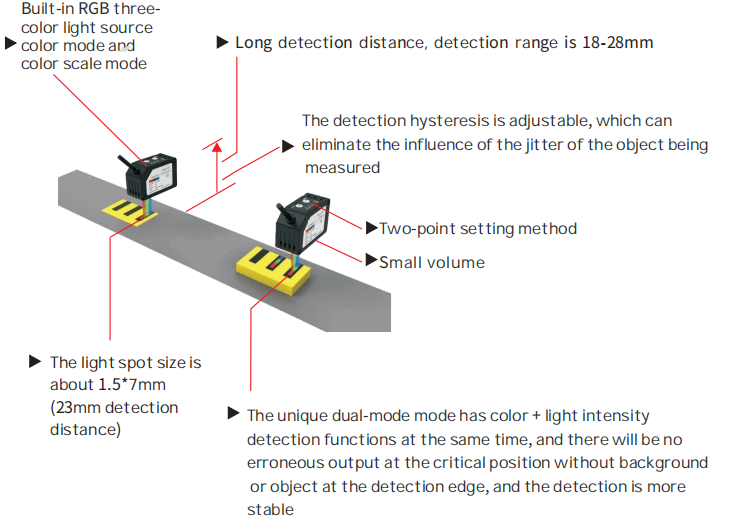
Built-in RGB three-color light source color mode and color mark mode
The detection distance is long, with a detection range of 18 to 28mm
The detection hysteresis is adjustable, which can eliminate the influence of the vibration of the object being measured
Two-point setting method
Small volume
The light spot size is approximately 1.5*7mm(with a detection distance of 23mm)
The unique dual-mode features both color and light intensity detection capabilities. Even at critical positions where there is no background or object along the detection edge, it will not output errors, ensuring more stable and reliable detection
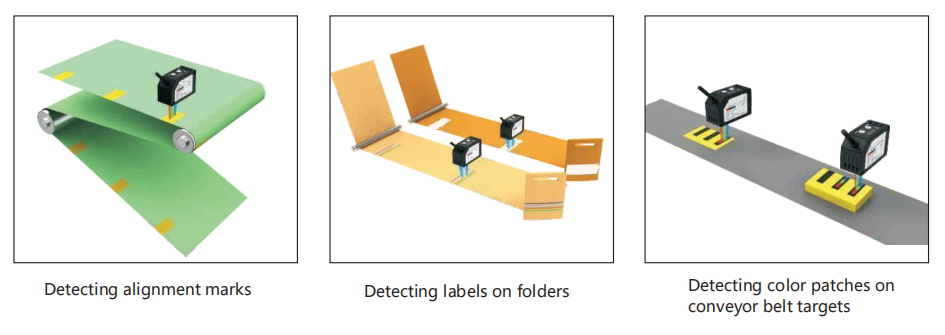
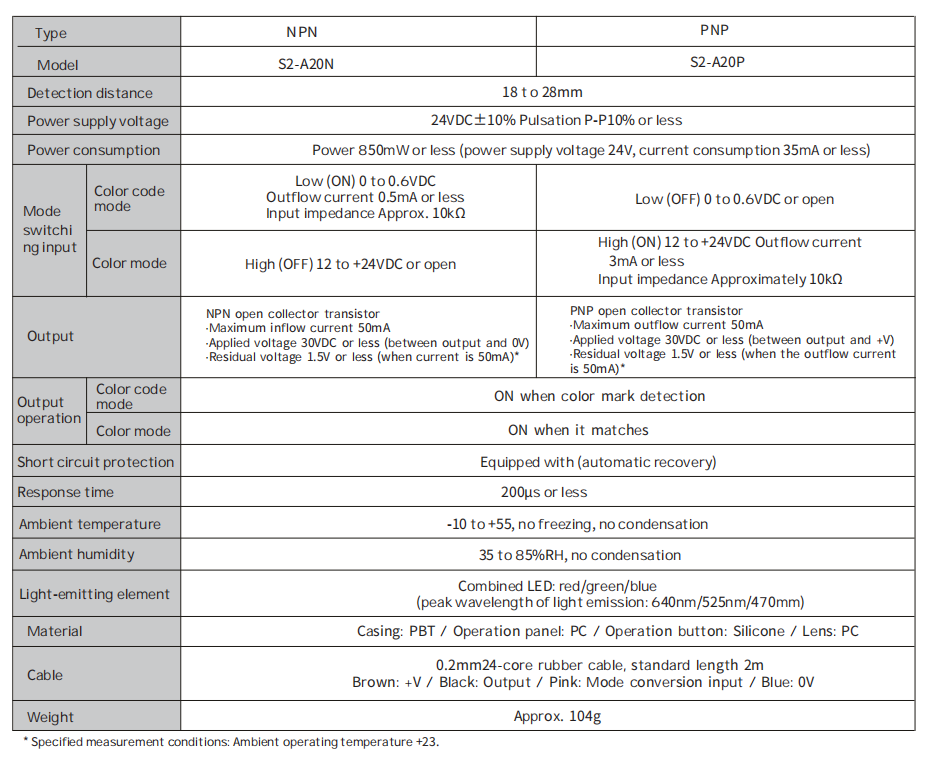
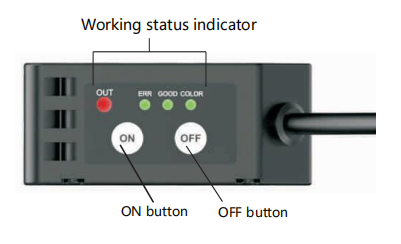
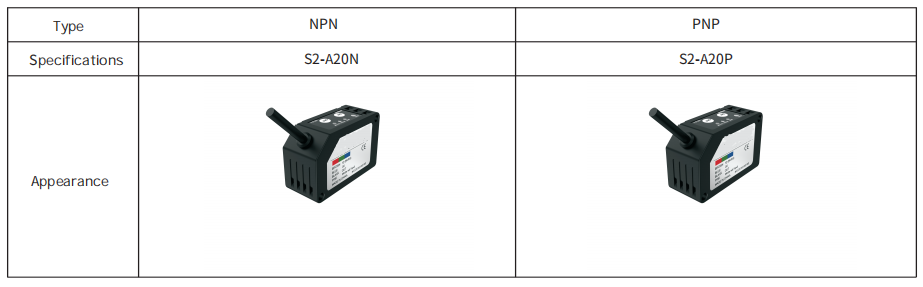
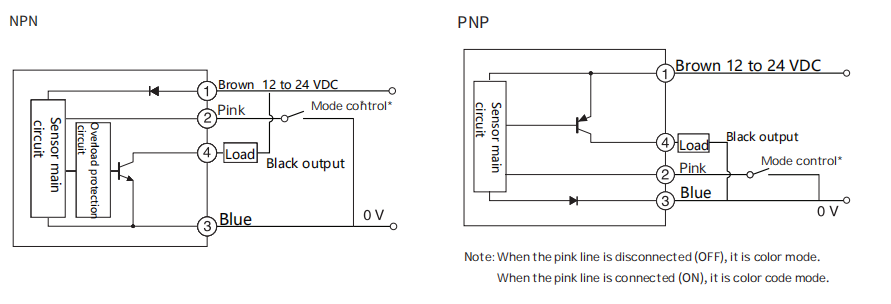
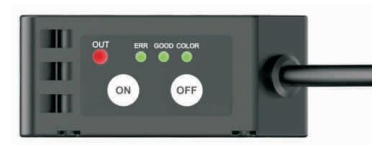
Before making teaching settings, confirm the settings of color mark mode or color mode.
The green "COLOR" indicator is always on for color mode and off for color mark mode.
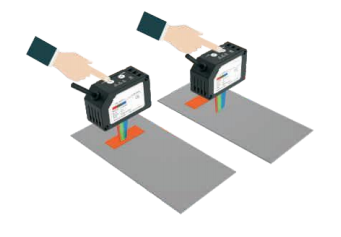
①Press the "ON" button with the light projected by the sensor facing the color to be measured, and the "GOOD" green indicator flashes
②Press the "OFF" button with the liaht prolected by the sensor facing the back ground color.
③When the threshold set between steps and can be stably detected, the "GOOD" green indicator is always on, indicating that the detection canstart normally.
When the threshold set between steps ① and ② cannot be stably detected, "ERR"
The red indicator flashes for 3 seconds and then returns to the last setting state.
①Press the "ON" button for more than 5 seconds until the ERR, GOOD, and COLOR indicators flash simultaneously.
②Press the "OFF" button to adjust the hysteresis value.
The relationship between the hysteresis status and the indicator flashing is as follows:
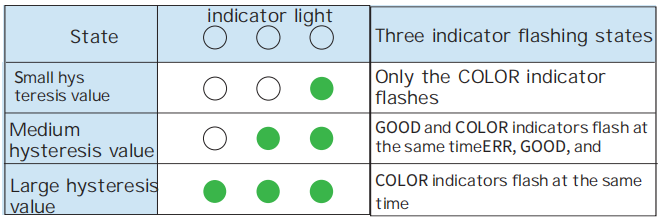
In the case of threshold hysteresis adjustment, press the "ON" button for more than 5 seconds until the three indicators ERR, GOOD, and COLOR stop flashing and stay on, that is, exit the threshold hysteresis adiustment.
When an error message appears, handle it as follows.





 WhatsApp
 Phone
Phone E-mail
 Message